
 Entertainment · Android
MovieBox APK for Android
Explore MovieBox’s Android download source, app preview and installation steps in one place.
Source checked on 4 October 2026. App features below are described by the website.
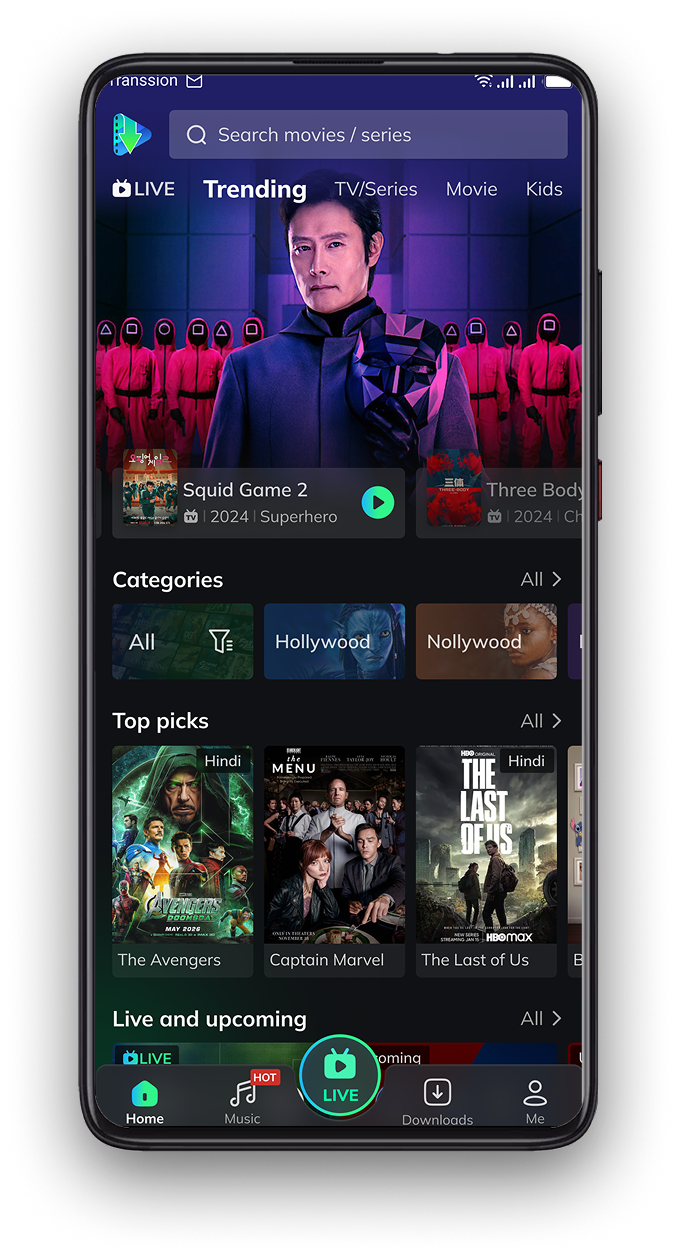
Features described by the source
Movies, series & anime
The source describes streaming across these entertainment categories.
Offline viewing
The download page lists saving videos for later viewing.
Subtitle options
The source describes multilingual subtitles, including two languages at once.
Download MovieBox for Android
Phones & tablets
Open the supplied download page, then select its “Download MovieBox” button. The download is managed by that website.
Looking for Android TV? The source homepage lists a separate “MovieBox TV APK” choice. Select the build for your device.
Version, file size and minimum Android version are not clearly specified on the checked download page. Check the package details before installing.
APK2Apps links to the supplied source and does not host this APK. The package has not been installed or malware-scanned by APK2Apps. Use content you have permission to access.
Install on Android
- Open the source’s download page on your Android device and start the APK download.
- Wait for the file to finish downloading, then open it from Downloads.
- If needed, allow installation for that specific browser or file manager.
- Review Android’s prompts and the app’s requested permissions.
- Turn off that installation permission afterward if you no longer need it.
Keep Google Play Protect enabled. Investigate any security warning before proceeding.
Read the complete installation guide →Before you download
Why does the button open another website?
The source manages the download through its own page. This keeps the download choice tied to the supplied website.
Can I install this APK on an iPhone?
No. APK files are Android installation packages and cannot be installed on iOS.
Is this APK verified safe?
No independent safety verification is claimed here. A website listing does not establish an APK’s safety.
What if installation fails?
Check for an incomplete download, insufficient storage, device incompatibility or a conflict with an installed app. Do not bypass security warnings to force installation.
Understand MovieBox before you install
Read our full guide for device choices, download details and common problems.
Explore more entertainment apps
Compare another app’s features and download choices.